How to Find Your Locker in Royale High 2024: Ultimate Guide
Unlocking Your Locker in Royale High 2024: A Comprehensive Guide
Welcome, Royale High players! In this guide, we'll walk you through the process of finding and unlocking your locker in Royale High 2024. Whether you're new to the game or just need a refresher, we've got you covered. Let's dive in!
Understanding Your Locker in Royale High
Your locker in Royale High is a personal storage space where you can keep your beloved outfits, accessories, and other items. It's an essential part of the game, allowing you to switch between your favorite looks seamlessly. Now, let's find that elusive locker!
Finding Your Locker in the Main Lobby
Your locker is located in the main lobby of Royale High. Here's a step-by-step guide to help you find it:
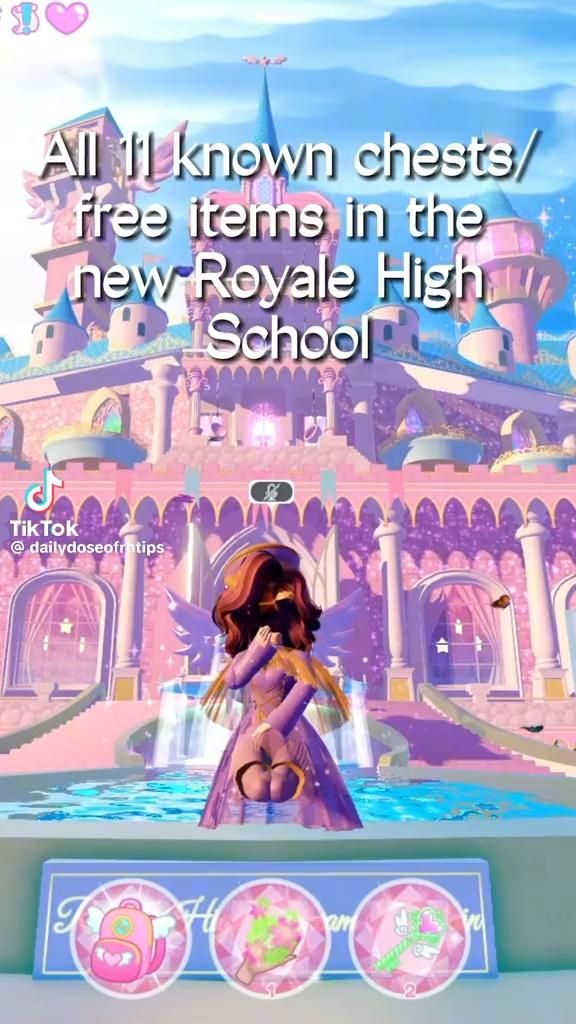


- First, spawn into the game and find yourself in the main lobby.
- Look for the large, golden mirror on the wall. It's hard to miss!
- Your locker is located directly next to the mirror. It's a small, golden box with a keyhole.
Unlocking Your Locker
Now that you've found your locker, it's time to unlock it! Here's how:
- Approach your locker and look for the keyhole.
- Press the 'E' key on your keyboard to interact with the locker. This will bring up a prompt asking if you want to unlock it.
- Press 'E' again to confirm, and voila! Your locker is now unlocked.
Customizing Your Locker
Once unlocked, you can customize your locker to make it truly your own. Here's how:


- With your locker open, look for the 'Customize' button at the bottom of the interface.
- Clicking this button will open up a menu where you can change the color, material, and design of your locker.
- Experiment with different options to find the look that suits you best.
Storing and Managing Your Items
Now that your locker is unlocked and customized, it's time to start storing your items. Here's how to manage your inventory:
| Action | Keyboard Shortcut |
|---|---|
| Open your inventory | Press 'I' on your keyboard |
| Move an item to your locker | Drag and drop the item into your locker |
| Wear an item from your locker | Drag and drop the item onto your character |
Remember, you can only store a limited number of items in your locker. To make room for new items, simply drag and drop unwanted items back into your inventory.
Troubleshooting Common Issues
If you're having trouble finding or unlocking your locker, here are a few common issues and their solutions:


- Issue: I can't find my locker. Solution: Make sure you're in the main lobby. If you're still having trouble, try reloading the game.
- Issue: I can't unlock my locker. Solution: Ensure you're interacting with the correct locker. If you're still having trouble, try relogging or contacting the game's support team.
And there you have it! You're now a locker pro in Royale High 2024. Happy gaming, and we hope you enjoy showing off your unique style!


Related Articles
Royale High Campus 3: Ultimate Guide to Finding Your Locker
Embarking on a new adventure in Royale High's Campus 3? One of the first things you'll want to do is find your locker. After all, it's the perfect place to...
How to Find Your Locker in Royale High: Ultimate Guide
Navigating the School of Roblox: A Guide to Finding Your Locker in Royale High Embarking on a new journey in the prestigious halls of Royale High can be an...
How to Decorate Your Locker in Royale High: Ultimate Guide to Customization
Elevate Your Royale High Gameplay: Stylish Locker Decor Ideas In the vibrant world of Royale High, your locker is more than just a storage space; it's a canvas...
Royal High Locker Decor: Ultimate Guide to Stylish Customization
Unlock Your Style: A Comprehensive Guide to Decorating Your Locker in Royale High In the vibrant world of Royale High, your locker is more than just a storage...
How to Get a Locker in Royale High 2024: Ultimate Guide
Unlocking Luxury: A Comprehensive Guide to Getting a Locker in Royale High 2024 In the ever-evolving world of Royale High, a locker has become a symbol of...
How to Color Your Locker in Royale High: Ultimate Guide
Unlocking Creativity: A Guide to Coloring Your Locker in Royale High In the vibrant world of Royale High, personalizing your avatar and surroundings is a...