How to Get a Locker in Royale High 2024: Ultimate Guide
Unlocking Luxury: A Comprehensive Guide to Getting a Locker in Royale High 2024
In the ever-evolving world of Royale High, a locker has become a symbol of status and a necessity for any serious player. Not only does it provide ample storage space, but it also allows you to customize your very own piece of the school with unique themes and decorations. So, how do you get a locker in Royale High 2024? Let's dive into a step-by-step guide that will help you unlock this coveted feature.
Understanding Royale High's Locker System
Before we delve into the process of acquiring a locker, it's essential to understand the locker system in Royale High. There are two types of lockers: regular and premium. Regular lockers are free and offer a limited number of slots for storage, while premium lockers provide more space and additional features, such as the ability to customize your locker's appearance and theme.
How to Get a Regular Locker in Royale High 2024
Getting a regular locker is quite simple and doesn't require any Robux. Here's how:
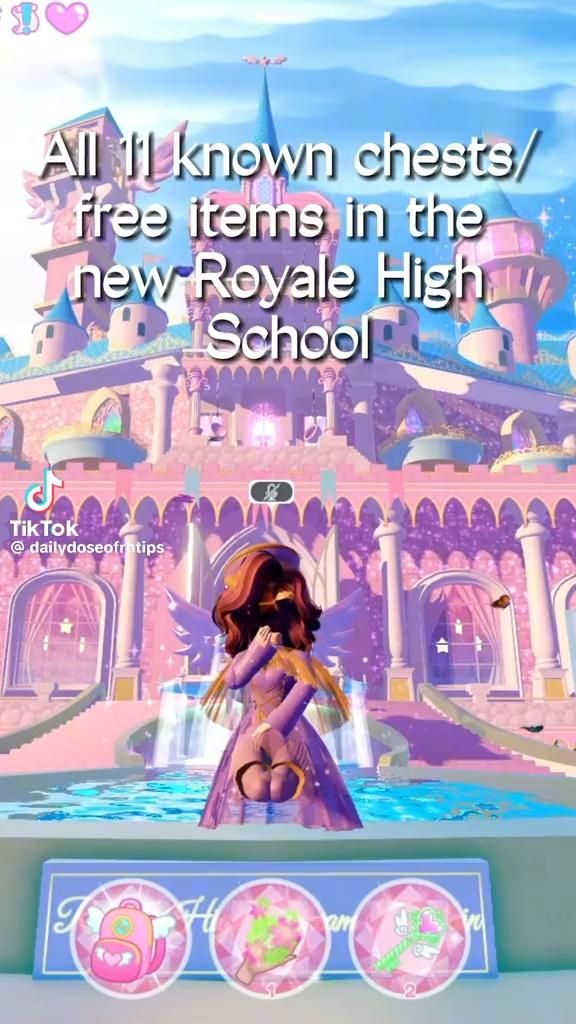


- Open Royale High and navigate to the main lobby.
- Look for the 'Locker' sign on the wall near the entrance of the school.
- Click on the sign, and a locker selection menu will appear.
- Choose the 'Regular Locker' option, and voila! You'll have your very own locker.
Upgrading to a Premium Locker
While regular lockers are great for beginners, premium lockers offer a more immersive experience. To upgrade to a premium locker, you'll need to spend some Robux. Here's how to do it:
- Follow the same steps as above to access the locker selection menu.
- This time, choose the 'Premium Locker' option.
- A pop-up will appear, displaying the cost of a premium locker in Robux. If you're ready to commit, click 'Buy'.
- Once the purchase is complete, you'll have access to your new premium locker and its additional features.
Customizing Your Locker
Now that you've got your locker, it's time to make it your own! Both regular and premium lockers can be customized with a variety of themes and decorations. To access the customization menu, click on the 'Customize' button inside your locker. From here, you can choose from a wide range of themes, furniture, and accessories to create a locker that truly reflects your unique style.


Maximizing Your Locker Space
As you progress through Royale High, you'll accumulate more and more items, making efficient use of your locker space a priority. Both regular and premium lockers can be expanded using locker expansions, which can be purchased with Robux. To maximize your space, consider purchasing expansions as you need them. Additionally, keep an eye out for sales and special events, as Roblox often offers discounts on locker expansions during these times.
Tips for Keeping Your Locker Organized
With great storage comes great responsibility – or at least, the responsibility to keep your locker organized! To make the most of your locker space, consider the following tips:
- Use folders and other organizational items to keep your inventory neat and tidy.
- Regularly sort through your inventory and remove any unwanted or duplicate items.
- Take advantage of the 'Favorites' feature to quickly access your most-used items.
- Consider using a third-party inventory management tool to help streamline your locker organization.
And there you have it – a comprehensive guide to getting and making the most of your locker in Royale High 2024. Whether you're a seasoned player or just starting out, a locker is an essential tool for any Royale High enthusiast. So, what are you waiting for? Get out there and start customizing!


Related Articles
How to Find Your Locker in Royale High 2024: Ultimate Guide
Unlocking Your Locker in Royale High 2024: A Comprehensive Guide Welcome, Royale High players! In this guide, we'll walk you through the process of finding and...
How to Decorate Your Locker in Royale High: Ultimate Guide to Customization
Elevate Your Royale High Gameplay: Stylish Locker Decor Ideas In the vibrant world of Royale High, your locker is more than just a storage space; it's a canvas...
The Ultimate Guide to Cleaning Locker Royale High: Sparkling Secrets
Mastering Locker Royale: A Comprehensive Guide to Cleaning and Organizing In the world of Royale High, maintaining a clean and organized locker is not just a...

Dark Fairy Locker Royale High: Ultimate Exclusive Skin Guide
Embarking on a journey into the enchanting world of Roblox, one can't help but stumble upon the captivating phenomenon that is Dark Fairy Locker Royale High...
Royal High Locker Decor: Ultimate Guide to Stylish Customization
Unlock Your Style: A Comprehensive Guide to Decorating Your Locker in Royale High In the vibrant world of Royale High, your locker is more than just a storage...
Royale High Campus 3: Ultimate Guide to Finding Your Locker
Embarking on a new adventure in Royale High's Campus 3? One of the first things you'll want to do is find your locker. After all, it's the perfect place to...