How to Find Your Locker in Royale High: Ultimate Guide
Navigating the School of Roblox: A Guide to Finding Your Locker in Royale High
Embarking on a new journey in the prestigious halls of Royale High can be an exciting yet daunting experience. One of the first tasks you'll encounter is finding your locker. Fear not, young scholar! This comprehensive guide will walk you through the steps to locate your locker with ease, ensuring you're well-equipped to tackle the day's lessons.
Understanding the Locker System
Before we dive into the steps, let's demystify the locker system in Royale High. Upon starting a new game, you'll be assigned a random locker. Each locker is uniquely numbered, and your locker number will be displayed on your user interface (UI) at the bottom left corner of your screen. Keep this number in mind as it's your key to unlocking your personal storage space.
Locating the Locker Area
Now that you understand the basics, let's find the locker area. The lockers in Royale High are situated in the main school building, which is the largest structure on the map. Here's how to get there:
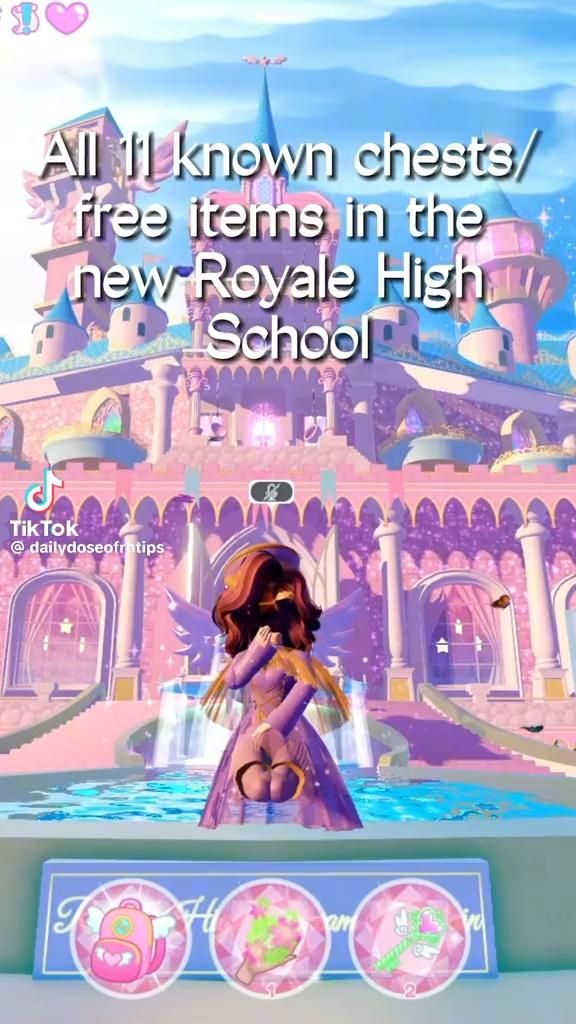


- From the spawn point, head towards the main school building. It's the largest structure with a grand staircase leading up to its entrance.
- Once inside the main building, you'll find yourself in the grand lobby. Look for the large staircase leading downwards. This staircase leads to the locker area.
Finding Your Locker
With the locker area now in sight, it's time to find your specific locker. Here's a step-by-step guide:
- Upon descending the staircase, you'll find yourself in a large, open room filled with lockers on both sides. These are the student lockers.
- Look for the locker that matches your locker number displayed on your UI. The locker numbers are indicated above each locker door.
- Once you've found your locker, approach it and interact with it by pressing the 'E' key on your keyboard. This will open your locker and grant you access to your personal storage space.
Troubleshooting: What If I Can't Find My Locker?
If you've double-checked your locker number and still can't find your locker, don't panic. Here are a few troubleshooting steps:


- Ensure you're in the correct locker area. As mentioned earlier, the student lockers are located in the main school building, in the large room downstairs.
- Check if your locker number is displayed correctly on your UI. If it's not, there might be a glitch in the game. Try restarting the game or switching to a different server.
- If you're still having trouble, consider reaching out to the Royale High community or the game's official support for further assistance.
Maximizing Your Locker Space
Now that you've found your locker, it's time to make the most of your storage space. Here are a few tips:
- Organize your items by category. This could be by type of item, rarity, or even by the outfit they belong to. This will make it easier to find what you need when you need it.
- Use the 'Favorite' feature to mark important items. This will move them to the 'Favorites' tab, keeping them easily accessible.
- Regularly declutter your locker. If you no longer need an item, consider selling or trading it. This will free up space for new acquisitions.
And there you have it! You're now a locker-finding pro, ready to take on the challenges of Royale High. Happy learning, and remember, every locker tells a story. What will yours be?


Related Articles
How to Find Your Locker in Royale High 2024: Ultimate Guide
Unlocking Your Locker in Royale High 2024: A Comprehensive Guide Welcome, Royale High players! In this guide, we'll walk you through the process of finding and...
Royale High Campus 3: Ultimate Guide to Finding Your Locker
Embarking on a new adventure in Royale High's Campus 3? One of the first things you'll want to do is find your locker. After all, it's the perfect place to...
How to Decorate Your Locker in Royale High: Ultimate Guide to Customization
Elevate Your Royale High Gameplay: Stylish Locker Decor Ideas In the vibrant world of Royale High, your locker is more than just a storage space; it's a canvas...
Royal High Locker Decor: Ultimate Guide to Stylish Customization
Unlock Your Style: A Comprehensive Guide to Decorating Your Locker in Royale High In the vibrant world of Royale High, your locker is more than just a storage...
How to Color Your Locker in Royale High: Ultimate Guide
Unlocking Creativity: A Guide to Coloring Your Locker in Royale High In the vibrant world of Royale High, personalizing your avatar and surroundings is a...
Ultimate Guide: How to Decorate Your Locker in Royale High Campus 4
Elevate Your Royale High Experience: A Comprehensive Guide to Decorating Your Locker in Campus 4 In the vibrant world of Royale High, your locker is more than...